The only tool that tells you if your video is ready to publish — and fixes it
Before posting on TikTok, Instagram Reels, YouTube Shorts or LinkedIn, drop your video : our AI analyzes it in seconds, gives it a readiness score out of 100 and guides you, one improvement at a time, so it hooks from the very first second. Audio too quiet, wrong format, unreadable captions, poorly framed face, weak hook : the AI spots it all and fixes it for you. Free to analyze and preview every improvement.
How it works, in 3 steps
Drop your video
MP4, MOV, WEBM up to 3 minutes. Choose your destination (9:16, 4:5 or 16:9) and start the analysis.
The AI analyzes and scores
Audio, format, captions, framing and hook are measured automatically. You get a clear score and a prioritized list of what can be improved.
Improve and download
Preview every fix for free on a clip, keep the ones you like, then export your clean final video, watermark-free.
What the AI analyzes and optimizes
Five decisive factors for short-form video performance — checked and fixed automatically.
Audio level
Too quiet and viewers drop off, too loud and it clips. The AI normalizes loudness to the platforms' target (−14 LUFS) for clean, comfortable audio.
Format & reframing
Automatic reframing to 9:16, 4:5 or 16:9 with face tracking — no more black bars or cut-off heads on TikTok, Reels and Shorts.
Animated subtitles
85 % of people watch without sound. Subtitles generated and burned in automatically, in 20+ styles (MrBeast, Hormozi, karaoke…).
Framing & safe zones
The AI checks that your subject is well centered and that nothing important falls under the TikTok/Reels interface buttons (safe zones).
Hook & titles
3-point summary, hook title ideas and chapters generated by AI to grab attention from the first second and boost retention.
Readiness score
A clear, actionable score out of 100 that tells you at a glance whether your video is ready to publish — and what's left to fix.
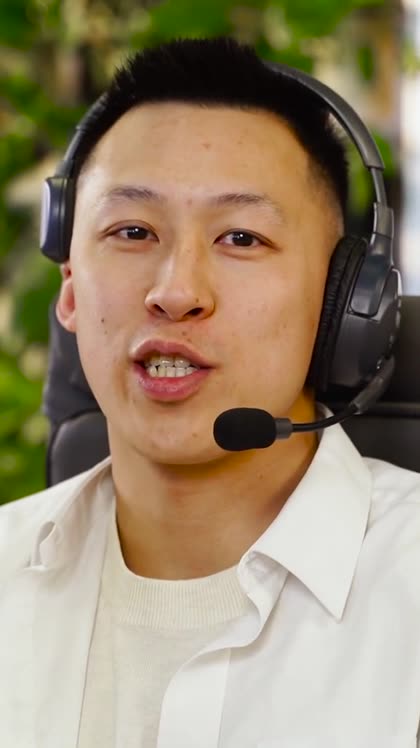
Before / after: real reframing, not black bars
A real example: a 16:9 landscape video turned into 9:16 by our AI, with face tracking. (Royalty-free clip, reframed by Klipa — no fakery.)

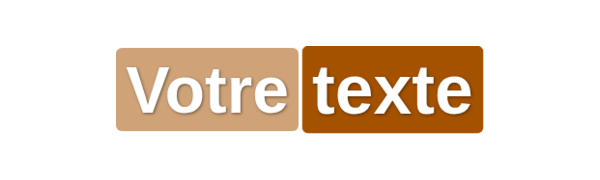
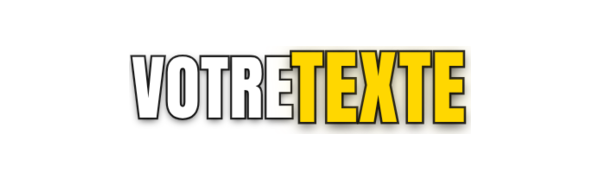
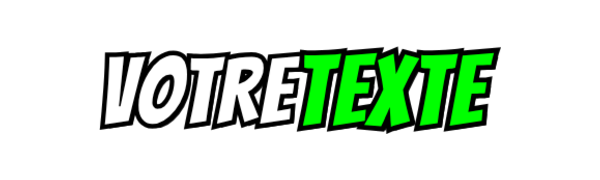
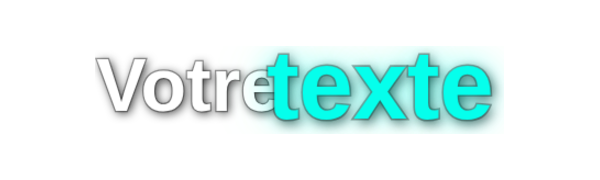
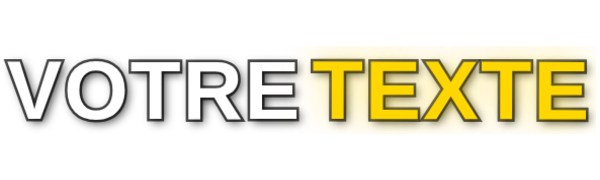
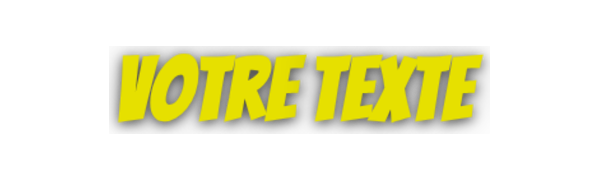
Animated subtitles that hold attention
Transcribed and burned in by our Remotion engine, word-synced. A real preview of a few styles among 20+ — exactly what you get.
Optimize your video for every platform
Every network has its rules : format, length, safe zones, captions. Klipa adapts your video to the destination you choose.
TikTok
Vertical 9:16, dynamic captions, strong hook and respected safe zones to maximize your chances on the FYP.
Instagram Reels
Clean 9:16 reframe, calibrated audio and readable captions to hold attention in the feed.
YouTube Shorts
Optimized vertical format, hook and chapters to increase watch time.
Square 4:5 format, ideal for the professional feed, with captions for sound-off viewing at the office.
YouTube (16:9)
Keeps landscape, normalizes audio and sharpens the hook for horizontal videos.
Why Klipa rather than a plain editor ?
Most tools hand you an editor and let you guess. Klipa does the opposite : it tells you what to improve, why, then does it for you.
A diagnosis, not a blank page
Instead of an intimidating timeline, you get a clear analysis and a guided path, "one improvement at a time".
Free preview before you pay
You see the real result of each improvement on a clip, for free. You only pay to export the full video.
AI built for short-form
Face-tracking reframe, word-synced subtitles, audio normalization : processing designed for TikTok, Reels and Shorts.
Watermark-free, ready to publish
Clean high-quality export, kept in your account so you can re-download it whenever you want.
Frequently asked questions
How do I know if my video is ready to publish on TikTok ?
Drop it into the optimizer : the AI checks audio, 9:16 format, captions, framing and hook, then shows a readiness score out of 100 with the list of what to fix. The analysis is free.
What format and resolution for TikTok, Reels and Shorts ?
The recommended format is vertical 9:16 at 1080×1920, in MP4 (H.264 codec). Klipa automatically reframes your video to the right format, with face tracking to avoid cut-off heads.
What is a "safe zone" and why does it matter ?
These are the parts of the screen hidden by the app's buttons (right and bottom on TikTok). If your text or subject sits there, it becomes unreadable. Klipa checks framing to keep the essentials in the visible area.
Does the tool add subtitles automatically ?
Yes. The AI transcribes your audio and burns in word-synced animated subtitles, in 20+ styles. You preview the result for free before exporting.
Is it free ?
The full analysis and the preview of each improvement are free. Downloading the clean final video requires a Video Pass (one-time payment) or a Pro subscription.
Does the exported video have a watermark ?
No. The paid export is clean, high-quality, watermark-free, and stays available in your account to be re-downloaded.
Are my files safe ?
Your videos are private. Unfinalized files are deleted automatically, and only your finalized videos stay accessible in your account.
Does Klipa split a long video into several clips ?
The optimizer focuses on preparing and improving a short video before publishing. Klipa also offers dedicated tools to split long videos into clips.
Is your video ready? Check it in 30 seconds
Drop your video, get your score and your improvements — for free.