

Skip to content

Turn a regular video into slow motion

Play your clip at half speed or slower, with the sound following along.

This tool is being improved

Explore other tools

Daily limit reached

Drop your file here

Browse
or

MP4, MOV, AVI, MKV, WebM

0 / 1000

Drop your subtitle file here

Browse

SRT, VTT, ASS, SSA

AI
0 / 1000
Examples:

Platform

Duration

Audience & tone Optional
AI is writing your script…

Free account required to use this tool. Sign up in seconds!

Video duration
Minutes required
Minutes used / limit
Minutes remaining
Estimated balance after (min)
This video deserves better than a blurry copy. Much better quality is available — unlock it after your free download.

Source language
Target language

Pick two different languages to start dubbing.

Voice

The sample plays in the target language so you can compare before starting.

Keep original voice underneath

Low volume, behind the translated voice.

Duration :

Tap the person to keep in frame

Preview

Target format

Want a smaller video file?

Custom size (pixels)

× px

Framing

Person to follow

Background

More settings

Fixed frame

The camera doesn't move within a shot

Stabilize the picture

Reduces shaking — visible on the final video

Keep the black bars

By default, they are removed automatically

Stretch to fill

Nothing is cut, the picture is stretched

Split screen when two people talk

Each one gets half of the screen, top and bottom. Off: a single frame follows whoever is speaking.

Resolution

Automatic: the best quality your plan allows

Uploading background…

Transparent export (ProRes .mov with alpha). Reserved for the Pass or a Pro plan; the preview shows on a checkerboard.

Drag · resize · rotate
Placement
Text
Logo / Image
Common settings
→
optional

Length of the final edit

What you are looking for

Optional

If you write it, this takes precedence over the general criteria.

Optional

Guides passage selection. Your brief remains the priority.

Output Format

Split screen when two people talk

Each one gets half of the screen, top and bottom. Off: a single frame follows whoever is speaking.

Subtitles included

Subtitle style

Extracting the speech… the subtitle preview will be ready in a few seconds.

No speech detected in this video: there are no subtitles to preview.

Preview is currently unavailable. You can generate clips with subtitles enabled; any failure will be reported.

Subtitle preview is temporarily unavailable: its daily allowance has been reached. You can still generate clips at the usual analysis price.

Sign in to your free account to preview subtitles.

Cut intensity

What to do with silences

Transition

Also

Remove hesitations too

The “um”, “uh” and false starts

Clean up background noise

Hiss, air conditioning, street noise

Keywords (optional)

Rotate or mirror the video to enable.

Choose the output format

MP4 plays everywhere. Change it to fit your need.

Get an email the moment it's ready.

Video on its way

It will appear here as soon as it's ready.

Hashtags copied to clipboard — paste them in your post!

Was Klipa useful? Give us 30 seconds back — leave a review on Trustpilot.

Was Klipa useful? Give us 30 seconds back — leave a review on Trustpilot.


Was Klipa useful? Give us 30 seconds back — leave a review on Trustpilot.

Before After

Format Length Size Quality Saved Time removed Cuts ✓ Logo-free unlocked for this video

Subscribers get priority.

Get an email the moment it's ready.

Cancel now? The work already done will be lost and the file will have to be uploaded again.

This is your video exactly as it will be downloaded.

What is wrong with it?

Still too dark?

We start again from your original video and brighten it further. No credits used.

Want a sharper picture?

Free trial on 10 seconds of your video. You only pay if you like the result.

Was Klipa useful? Give us 30 seconds back — leave a review on Trustpilot.

Preparing your logo-free video… The download will start on its own.

Subtitles (.srt) separate file

Free Google 1-click No credit card
Understand first

Make slow motion from the video you already have

You filmed a golf swing, a dog shaking off water or a skateboard trick, and it was over in a blink. Slow motion lets the eye catch what the moment hid. This page turns an ordinary video file into a slower one: you choose how much slower, and the whole clip plays at that pace, sound included.

What happens to your video

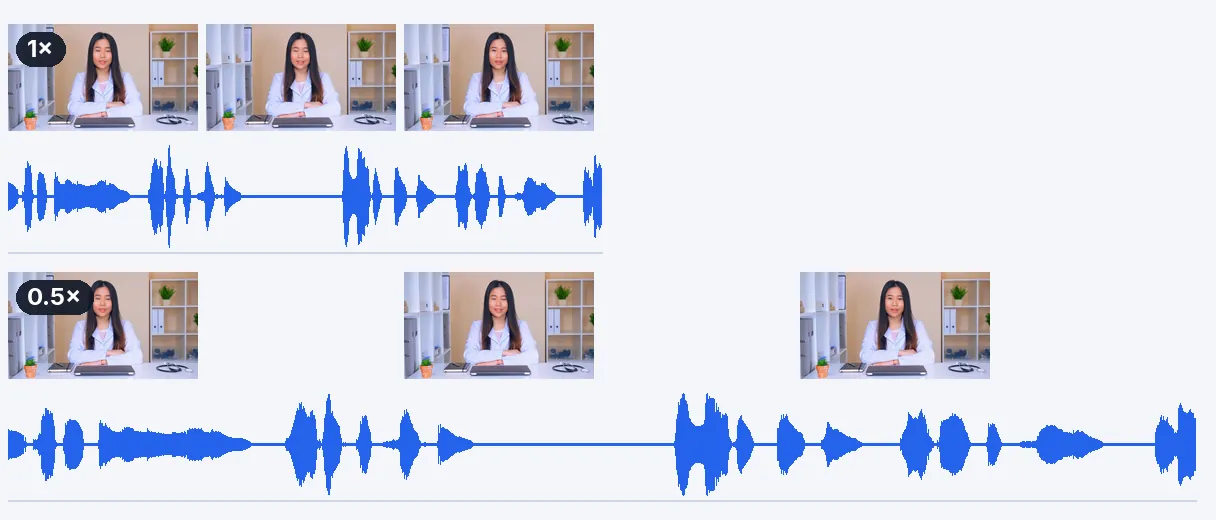
The slider opens on 0.5x, half speed, which is where most people start: a ten-second clip becomes twenty seconds. It goes down to 0.25x, four times slower, and up to 4x if you change your mind. The sound is slowed along with the picture and stays in sync, and voices keep a natural pitch instead of dropping into a growl. A clip with no sound track is simply processed without one.

What it does not do

One limit deserves to be said plainly. Slowing a video stretches the images you already have; it does not create new ones in between. Footage shot at 30 frames per second and slowed to 0.25x shows each image for a long moment, so it can look a little jerky. Nothing here guesses the missing frames, so do not expect the silky look of a camera that filmed in slow motion from the start.

Getting the smoothest result

The best material is footage recorded at a high frame rate, such as 60, 120 or 240 images per second. What your eye sees is the original rate multiplied by the speed: 60 images per second played at 0.5x gives the feel of 30, and 120 played at 0.25x does too. If your file is ordinary 30 frames per second, stay between 0.5x and 0.75x, where the effect still reads as slow motion and not as a slideshow. Good light and a steady camera help as well.

Where it fits best

Slow motion earns its place on short, visual moments: an impact, a splash, a gesture, a reaction. A long talking scene stretched to double length mostly tests the patience of your viewers, so choose the instants that carry the action and leave the rest at normal speed.

Keep only the good part

The speed applies evenly to the whole video. If only two seconds deserve slow motion, cut them out first, slow that short piece down, and you get a clip that is ready to post.

Example result — Slow Motion Video Online: Slow Down Any Clip for Free
Proof in the result

What the tool produces

How it works

How to slow down a video in 3 steps

Step 1

Add your video

Choose an MP4, MOV, AVI, MKV or WebM file from your device, up to 2 GB. A clip recorded on a phone works as it is, and a short one is enough.

Step 2

Pick how slow

The slider starts at 0.5x. Pull it toward 0.25x for the slowest effect, or stop at 0.75x for a gentle slowdown that stays smooth even with ordinary 30 frames per second footage.

Step 3

Download the slowed video

When processing ends, you get an MP4 that is longer than the original, with the sound slowed to match. Watch it once before posting, especially the fastest moments of the action.

Why Klipa

What you get from this slow motion tool

Benefit — Slow Motion Video Online: Slow Down Any Clip for Free

A speed you choose

Half speed, three quarters, or all the way down to a quarter of the original pace. You are not stuck with one preset effect: the slider lets you find the pace where the movement becomes readable without dragging on for minutes.

Benefit — Slow Motion Video Online: Slow Down Any Clip for Free

Sound that follows

The audio is stretched at the same rate as the picture, so lips, impacts and music stay together. Voices are not lowered into a deep growl. If your clip has no sound at all, it is handled as a silent video.

Benefit — Slow Motion Video Online: Slow Down Any Clip for Free

Your original resolution

The size of the picture stays as filmed, and the images are not replaced by anything else. That is also why a high frame rate source matters: you slow down real images, and real images are the reason the result looks natural.

Benefit — Slow Motion Video Online: Slow Down Any Clip for Free

Nothing to install

It runs from the page, on a computer or a phone browser. Add the file, set the speed, download. The first try is free and needs no signup, so you can judge the result on your own footage before deciding anything.

Real cases

WHAT PEOPLE SLOW DOWN

Sports and technique

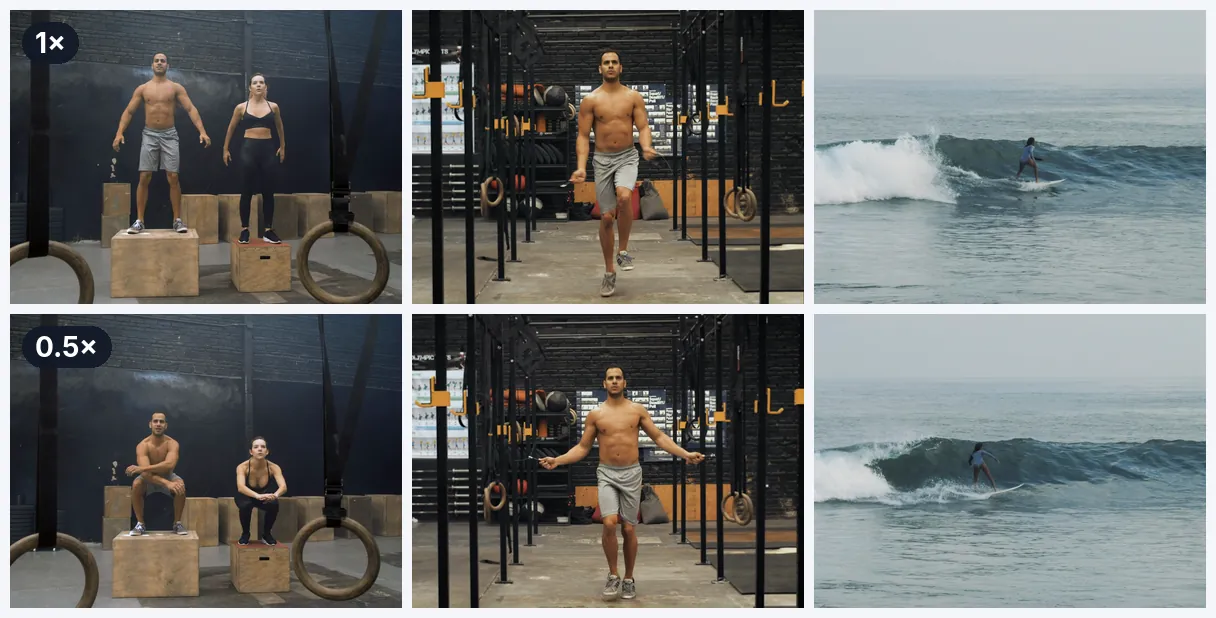
A golf swing, a tennis serve, a jump or a kick is easier to study at half speed. Coaches and players use the slowed clip to see where the hands, hips and feet are at the moment of contact.

Pets and everyday surprises

A dog drinking water, a cat landing on its feet, a child blowing out candles: short moments that look funny or tender when they last twice as long. Slow it to 0.5x and share the clip.

Phone videos

You filmed on your phone and wish you had used the slow motion mode. Slowing the file afterwards works on any clip, with the honest caveat that a 60 images per second recording looks smoother than a 30 one.

Product reveals and cooking

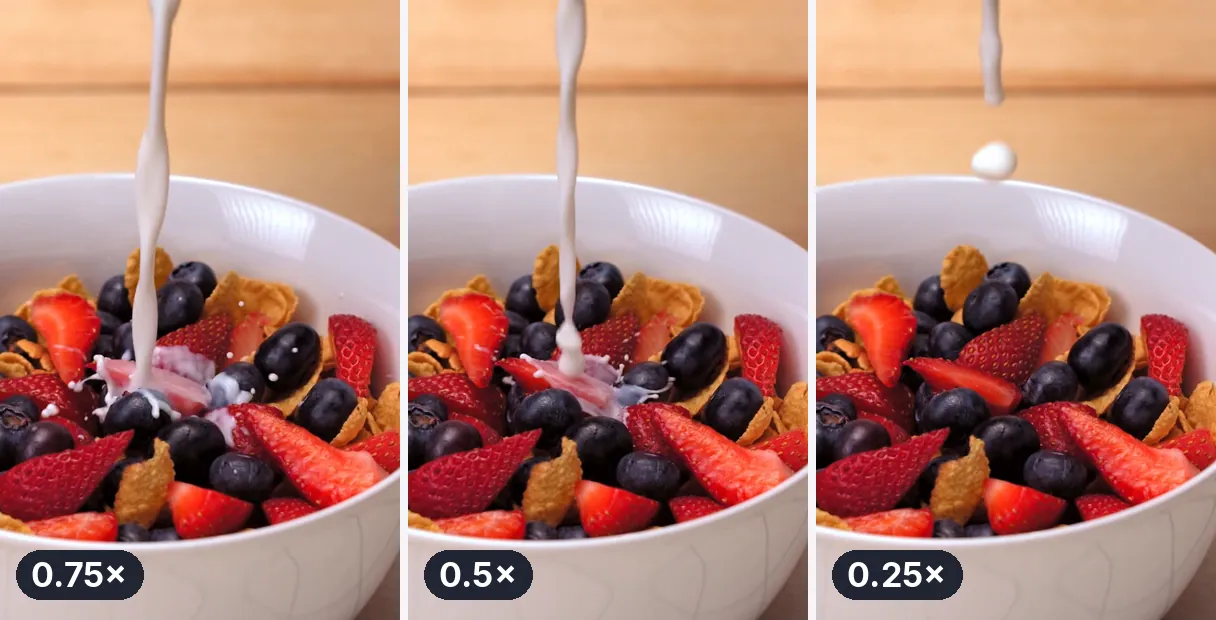
Pouring sauce, flipping a pancake, opening a box, a fabric falling into place: slowing these gestures gives them weight. Keep the speed moderate, so the movement stays fluid and the viewer is not waiting.

Dance and performance

Dancers slow a combination down to check timing and posture, then post the slowed version as a visual effect. A clip filmed in good light at a high frame rate gives the cleanest slow motion.

Continue with

Related Tools

PrepareFetch the video and get the right format
EditCut, clean the sound and the silences
TransformTurn it into short clips, ready to publish
EnrichSubtitles, translation and transcription
Frequently asked

Questions about slowing down a video

How can I make a video slower online?

Add your file, set a speed below 1x on the slider and download the result. The page opens on 0.5x, which doubles the length of the clip. You can go as low as 0.25x. Nothing needs to be installed. Then download the MP4.

How do I get slow motion out of footage I already shot?

Yes, in the sense that it plays more slowly, and for many clips that is enough. It is not the same as footage shot at a high frame rate, because the missing moments between two images cannot be recovered. The result is as smooth as your source allows.

Will it look as silky as a clip shot with a slow-mo camera?

Only when the source is smooth enough. Klipa does not create extra images between the existing ones. Footage recorded at 60 images per second or more gives a fluid result at 0.5x; a 30 images per second clip at 0.25x can look choppy.

Does a clip recorded on my iPhone work here?

Yes. Videos recorded on an iPhone are usually MOV or MP4 files, and both are accepted, up to 2 GB. If you filmed at a high frame rate, the slowed result will be noticeably smoother than with a standard recording.

Do voices sound deeper when the clip slows down?

The sound is slowed at the same rate as the picture, so everything stays in sync. The pitch is kept, which means a voice gets slower but does not turn deep. At 0.25x speech becomes very drawn out, so you may prefer 0.5x for talking.

Can I try it without paying, and what about the logo?

Yes — the first try is free, with no signup. The video downloads with the Klipa logo; without the logo with a Pass or a Pro plan. You can see the result on your own clip before deciding anything about the logo.

Why does my slowed video look choppy?

Because the source has too few images for the speed you chose. A 30 images per second clip slowed to 0.25x only has about 7 images to show each second. Try 0.5x or 0.75x, or start from a recording made at 60 images per second or more.

How do I slow just one moment of a long clip?

The speed applies to the whole video, evenly. To slow only one moment, cut that moment out first, slow the short clip down, and keep the result as its own video or place it back in your editor. That short clip is then easy to share on its own.

How long will my video be after slowing it down?

Divide the original length by the speed. At 0.5x a 30 second clip lasts 60 seconds, at 0.25x it lasts two minutes. Remember this before posting on a platform that limits the duration of videos. At 0.75x the same clip lasts 40 seconds.

Does slowing a video down reduce its quality?

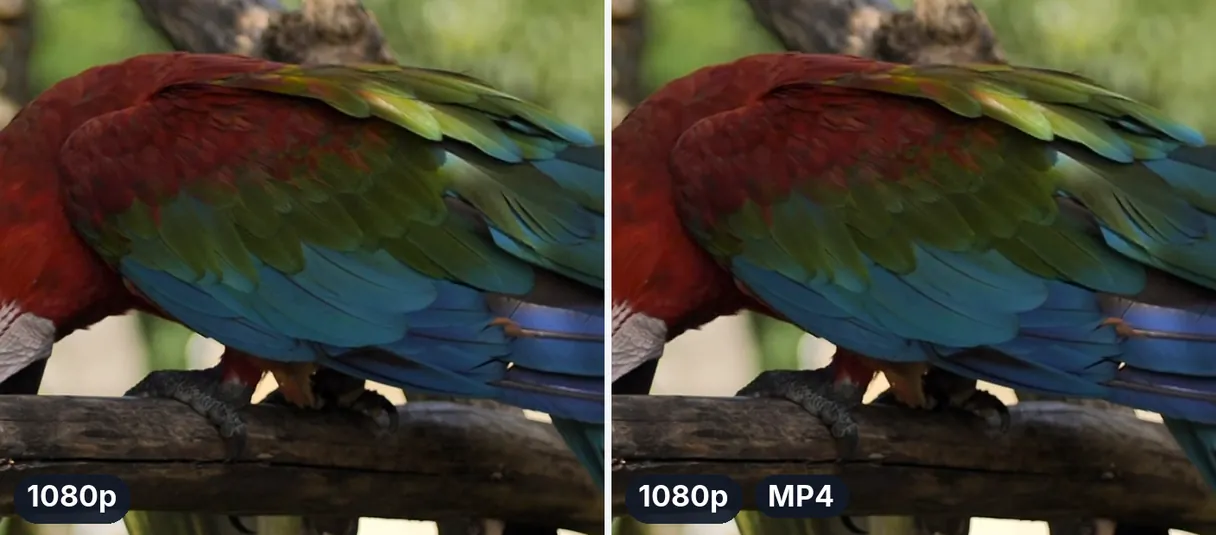
The picture size stays as it was filmed and no new images are added. The video is saved again as an MP4 with high quality settings, so a very slight loss can exist, as with any re-save. A clean, well-lit source gives the best result.

Your turn

Ready to see your clip in slow motion?

Add a video, set 0.5x or lower, and watch the moment unfold. The first try is free.

You have used your premium trial this month. Upgrade to Pro to keep going with every tool.

No credit card required

In closing

Slow motion is a choice of source and speed

Good slow motion comes from two decisions: a source with enough images, and a speed that does not ask too much from it. Start at 0.5x, look at the result, and go lower only if the movement still looks fluid. If a moment is too long, cut the part that matters before slowing it, then turn the slowed moment into a looping GIF to share it anywhere. Whatever the speed, compare the result with the original once: what looked fast in real time is often the part that gains the most.

All tools