

Skip to content

Take the wind rumble out of your clip

Wind rumble and hiss are lowered so the voice comes forward, on a video or a plain audio file.

This tool is being improved

Explore other tools

Daily limit reached

Drop your file here

Browse
or
Paste the video link
Fetch the video
YouTubeTikTokTwitchDailymotionRedditFacebookInstagramXVimeo
or

MP4, MOV, AVI, MKV, WebM, MP3, WAV

0 / 1000

Drop your subtitle file here

Browse

SRT, VTT, ASS, SSA

AI
0 / 1000
Examples:

Platform

Duration

Audience & tone Optional
AI is writing your script…

Free account required to use this tool. Sign up in seconds!

Video duration
Minutes required
Minutes used / limit
Minutes remaining
Estimated balance after (min)
This video deserves better than a blurry copy. Much better quality is available — unlock it after your free download.

Source language
Target language

Pick two different languages to start dubbing.

Voice

The sample plays in the target language so you can compare before starting.

Keep original voice underneath

Low volume, behind the translated voice.

Duration :

Tap the person to keep in frame

Preview

Target format

Want a smaller video file?

Custom size (pixels)

× px

Framing

Person to follow

Background

More settings

Fixed frame

The camera doesn't move within a shot

Stabilize the picture

Reduces shaking — visible on the final video

Keep the black bars

By default, they are removed automatically

Stretch to fill

Nothing is cut, the picture is stretched

Split screen when two people talk

Each one gets half of the screen, top and bottom. Off: a single frame follows whoever is speaking.

Resolution

Automatic: the best quality your plan allows

Uploading background…

Transparent export (ProRes .mov with alpha). Reserved for the Pass or a Pro plan; the preview shows on a checkerboard.

Drag · resize · rotate
Placement
Text
Logo / Image
Common settings
→
optional

Length of the final edit

What you are looking for

Optional

If you write it, this takes precedence over the general criteria.

Optional

Guides passage selection. Your brief remains the priority.

Output Format

Split screen when two people talk

Each one gets half of the screen, top and bottom. Off: a single frame follows whoever is speaking.

Subtitles included

Subtitle style

Extracting the speech… the subtitle preview will be ready in a few seconds.

No speech detected in this video: there are no subtitles to preview.

Preview is currently unavailable. You can generate clips with subtitles enabled; any failure will be reported.

Subtitle preview is temporarily unavailable: its daily allowance has been reached. You can still generate clips at the usual analysis price.

Sign in to your free account to preview subtitles.

Cut intensity

What to do with silences

Transition

Also

Remove hesitations too

The “um”, “uh” and false starts

Clean up background noise

Hiss, air conditioning, street noise

Keywords (optional)

Rotate or mirror the video to enable.

Choose the output format

MP4 plays everywhere. Change it to fit your need.

Get an email the moment it's ready.

Video on its way

It will appear here as soon as it's ready.

Hashtags copied to clipboard — paste them in your post!

Was Klipa useful? Give us 30 seconds back — leave a review on Trustpilot.

Was Klipa useful? Give us 30 seconds back — leave a review on Trustpilot.


Was Klipa useful? Give us 30 seconds back — leave a review on Trustpilot.

Before After

Format Length Size Quality Saved Time removed Cuts ✓ Logo-free unlocked for this video

Subscribers get priority.

Get an email the moment it's ready.

Cancel now? The work already done will be lost and the file will have to be uploaded again.

This is your video exactly as it will be downloaded.

What is wrong with it?

Still too dark?

We start again from your original video and brighten it further. No credits used.

Want a sharper picture?

Free trial on 10 seconds of your video. You only pay if you like the result.

Was Klipa useful? Give us 30 seconds back — leave a review on Trustpilot.

Preparing your logo-free video… The download will start on its own.

Subtitles (.srt) separate file

Free Google 1-click No credit card
Understand first

What this does to wind noise, and what it cannot do

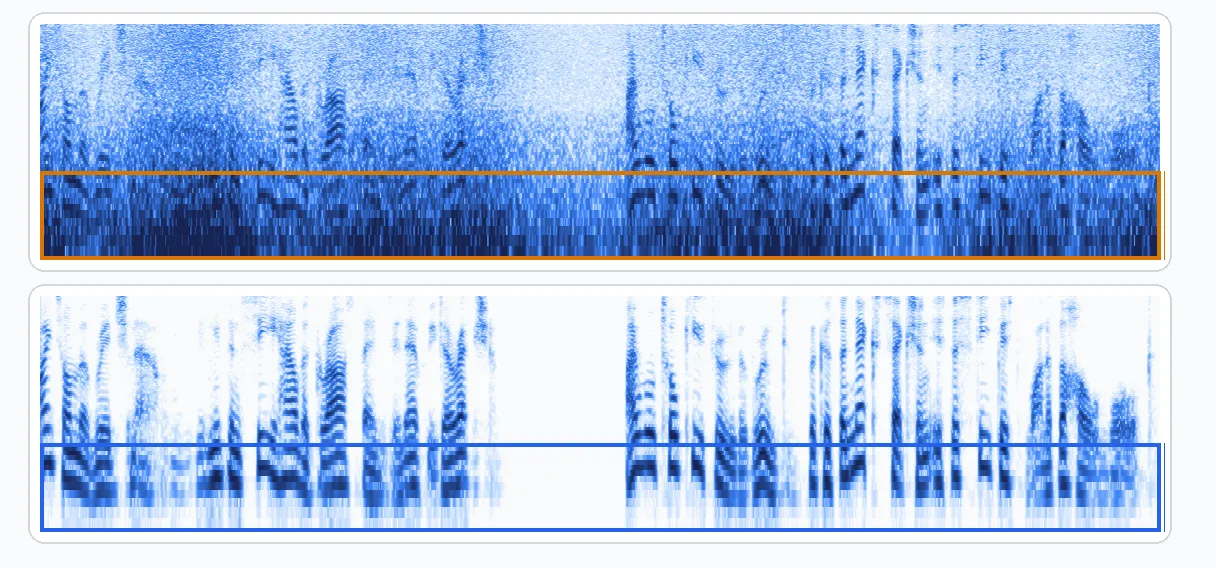
Wind is the most common way to ruin a good take outdoors: the voice is there, but it sits under a low, rolling rumble that makes every sentence tiring to follow. This page is made for that situation. You drop in the video or the audio file, the "What to keep?" screen opens on Voice, and Klipa keeps the speech while lowering the wind rumble and the hiss that cover it.

What you can reasonably expect

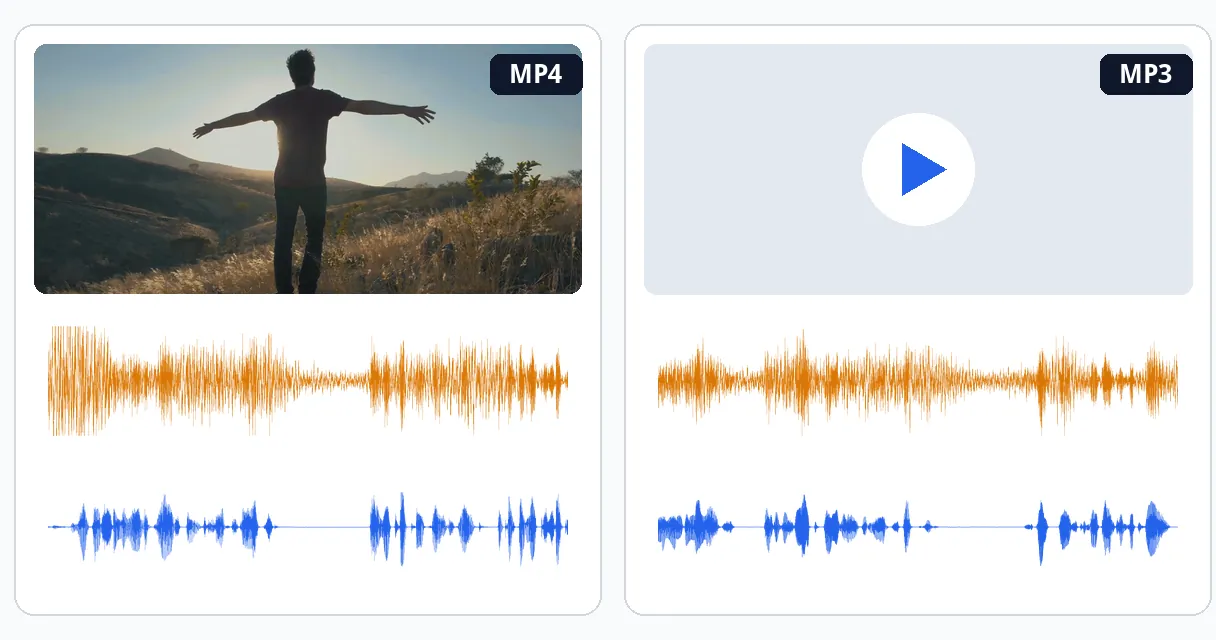
The tool reduces wind. It does not erase it by magic. When the voice is still present underneath a steady grumble or a constant hiss, the low rumble drops and the speech comes forward, and that is where the result is most convincing. A file you upload stays the kind of file it was: a video comes back as a video with its picture untouched, and an MP3 comes back as an MP3.

The limit you should know before you start

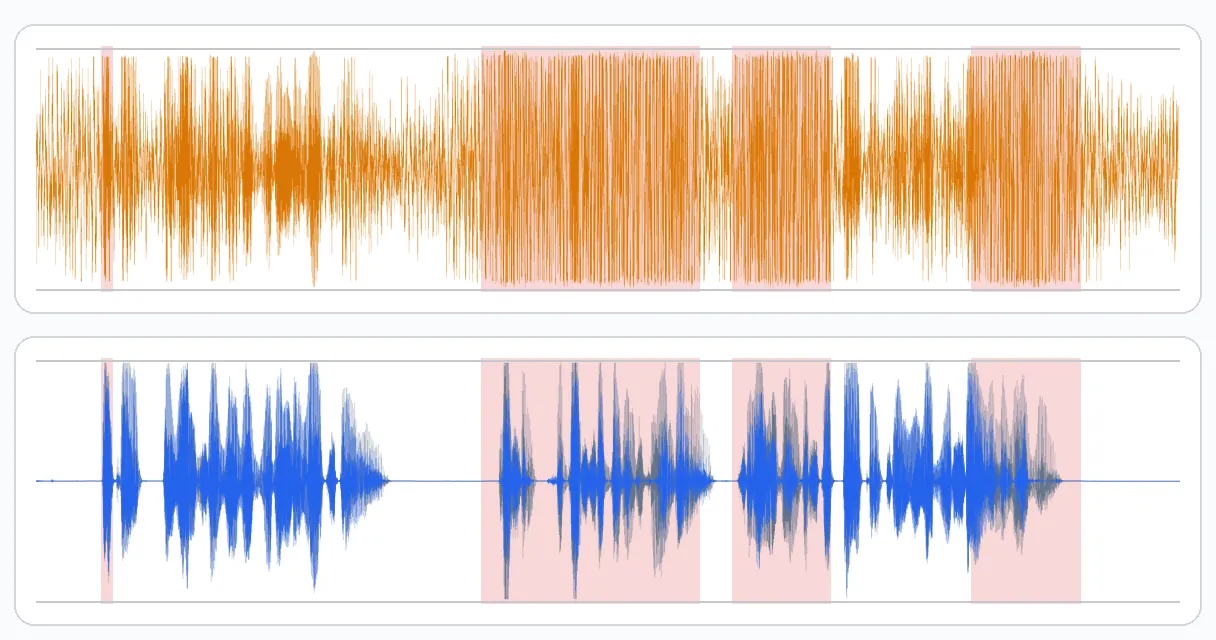
A strong gust can push the microphone past what it can record. You hear it as a crackle or a burst, and the words spoken at that moment are cut off or distorted in the recording itself. Once the voice is not in the file, nothing can bring it back, and no tool can rebuild a sentence that was never captured. So a clip with a few such gusts will still contain them, even if everything around them sounds calmer. Be wary of any page that promises to remove wind completely from every recording.

Which choice on the screen suits wind

The "What to keep?" screen offers Auto, Voice, Music and Everything. For a person talking in the wind, Voice is the right start: it keeps speech and singing and removes the rest. Everything keeps all the sound and removes only background hiss, which is a lighter treatment and not the one meant for a wind rumble. You can change the choice and run the file again if the first result is not what you wanted.

Preventing it next time

The cheapest fix happens before you press record. A foam or furry windscreen on the microphone, a microphone held close to the mouth, and a spot sheltered by a wall, a car or your own body all make a bigger difference than any cleanup afterwards. The phone's own microphone is especially exposed, so turn it away from the wind when you can.

After the cleanup

Once the wind has been lowered, the same audio is easier to work with in the next steps: the transcription reads it more accurately, and silences are easier to detect when a rumble is not filling them.

Example result — Remove Wind Noise from Video and Audio, Free and Online
Proof in the result

What the tool produces

How it works

How to remove wind noise from a video or audio file

Step 1

Upload the windy clip

Drop in the video, or an audio file such as an MP3, a WAV or a voice memo. There is nothing to install and no need to pull the sound out of the video yourself first.

Step 2

Check that Voice is selected

The screen opens on Voice, the right start for speech recorded in wind. Auto, Music and Everything stay available if your clip needs something else. Start the cleanup.

Step 3

Download and listen back

Get the result in the same kind of file you sent. Play it from the start, paying attention to the gusts, and run it again with another choice if the first pass is not right.

Why Klipa

Why use Klipa to calm a windy recording

Benefit — Remove Wind Noise from Video and Audio, Free and Online

Voice first, wind second

The treatment starts from what you want to keep, the speech, and drops the rest, instead of a filter laid over the whole mix. That is how the low rumble goes down while the voice stays natural and recognisable, even when the wind was blowing for the whole length of the take.

Benefit — Remove Wind Noise from Video and Audio, Free and Online

Video or plain audio

Use a video shot on a phone or action camera, or a simple recording such as an MP3, WAV or voice memo. The same cleanup runs on both, and a file you upload comes back as the same kind of file.

Benefit — Remove Wind Noise from Video and Audio, Free and Online

Picture left alone

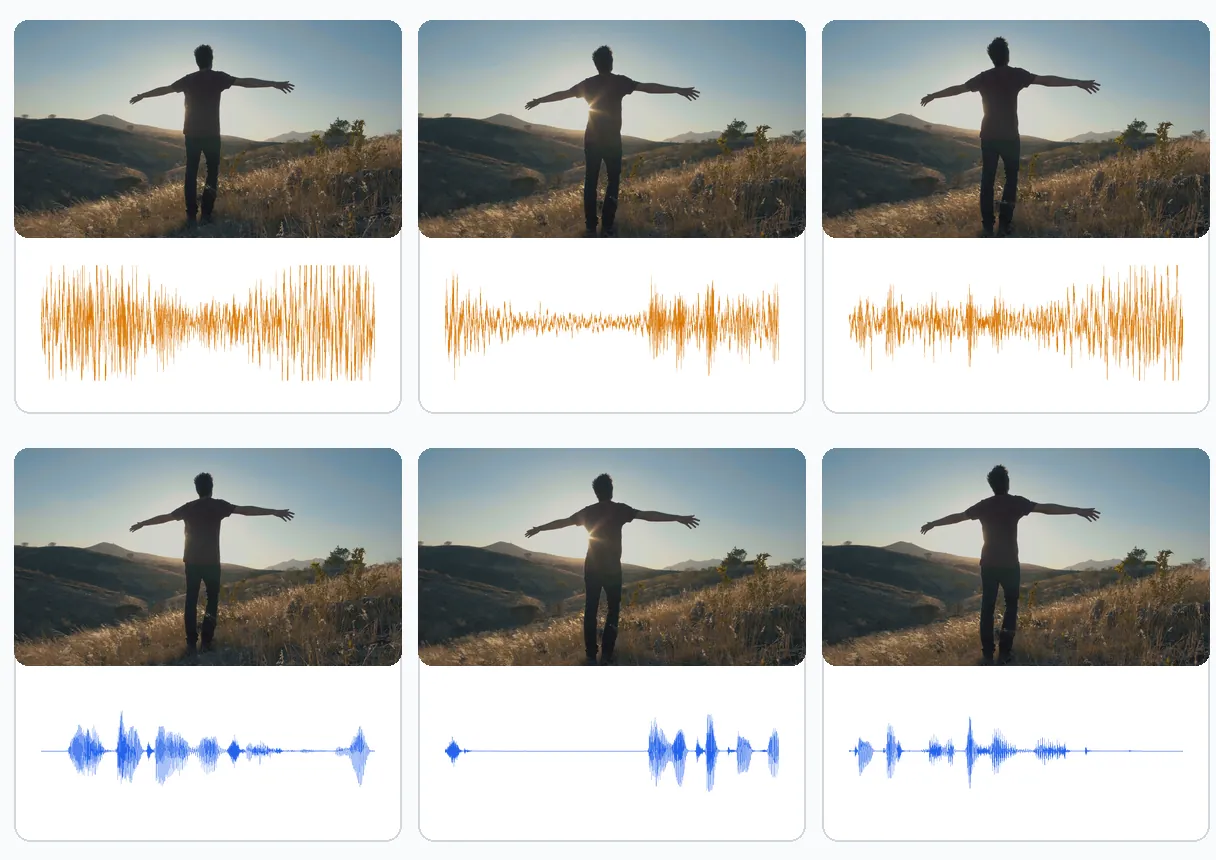
Only the sound is worked on. The shot you framed in the wind, with its colours and its sharpness, is returned as you filmed it, so there is nothing to re-edit or to line up again afterwards, and the cleaned sound simply goes back onto the same footage.

Benefit — Remove Wind Noise from Video and Audio, Free and Online

Honest about the limits

A gust that overloads the microphone cannot be rebuilt, and we say so instead of promising a miracle. You know before you upload what can improve and what cannot, and how to record better next time, with a windscreen and a sheltered spot.

Real cases

When to remove wind noise

An interview filmed outdoors

A quick question asked on a street corner, a hillside or a pier. The person speaks clearly, but the wind sits under every answer. Lowering the rumble brings the conversation forward before you cut and publish it.

A ride filmed with an action camera

Talking to the camera on a bike, a scooter or a motorbike gives a constant whoosh over the voice. If your words are still audible, the cleanup lowers the rumble so the commentary can be followed.

A voice memo recorded on a walk

Ideas, notes or a message recorded outside on a phone often come back as mostly wind. Upload the MP3 or M4A file as it is, keep the voice, and get an audio file you can listen to or send.

A beach, boat or hilltop video

Family clips shot where it is breezy carry a soft roar under every word. Lowering it makes the people in the shot easier to hear, which is often all that is needed to keep the clip.

A sideline or open-air event

A match, a market or a ceremony filmed from the edge, with wind on the microphone and someone talking nearby. Voice mode brings that speech forward over the steady blow, as long as it was recorded.

Continue with

Related Tools

PrepareFetch the video and get the right format
EditCut, clean the sound and the silences
TransformTurn it into short clips, ready to publish
EnrichSubtitles, translation and transcription
Frequently asked

Removing wind noise: your questions

Is there a way to get rid of wind noise on a video clip?

Yes, it can be reduced. Upload the video, keep the Voice choice, and the low rumble and hiss that sit over the speech are lowered while the picture stays as filmed. How much improves depends on how clearly the voice was recorded under the wind.

Will every trace of wind disappear?

Not always. The tool reduces the rumble and hiss covering a voice, but a gust that overloads the microphone makes the sound crackle and cuts the voice itself. That sentence was never recorded, so it cannot be reconstructed. Expect a calmer track, not a perfect one.

What is the way to cut the wind on a clip filmed with an iPhone?

Send the video from your phone to this page through the browser, using the upload button. Keep Voice selected and start the cleanup. The video comes back with the picture untouched and the wind lowered, so you can save it to your camera roll again.

Can I fix a windy voice memo or MP3 with no video at all?

Yes. Upload an MP3, WAV or M4A file directly, such as a voice memo recorded on a walk. The same cleanup runs, and a file you upload comes back as the same kind of file, so an MP3 stays an MP3 you can play or share straight away.

Do I need to install an app or software?

No. Everything happens in your browser, on a phone or a computer. You upload the clip, pick the option, and download the result. There is no audio editor to learn, no plugin to set up and no separate export of the sound track.

How do I avoid wind noise when I record?

Use a foam or furry windscreen on the microphone, hold it close to the mouth, and stand with your back to the wind or behind a wall or a vehicle. These steps help more than any repair afterwards, because a gust that saturates the microphone cannot be fixed later.

Which choice should I pick on the "What to keep?" screen?

For speech in the wind, Voice, which is already selected. It keeps speech and singing and removes the rest. Auto lets Klipa decide, Music keeps instruments, and Everything keeps all the sound and removes only background hiss, which is a lighter treatment than a wind rumble needs.

Does the person end up sounding dull or artificial?

The voice is kept first and the rest is dropped, which keeps the speech natural in most cases. Results still depend on the recording: a voice barely audible under heavy wind has little to work with, whereas a clear voice under a steady rumble comes out well.

Is anything done to the image of my footage?

No. Only the audio track is processed, so the colours, the sharpness and the framing of your shot stay as filmed. The cleaned sound goes back onto the same footage, and you do not have to line anything up again by hand.

What kind of files does the page take?

Videos in MP4, MOV, AVI, MKV or WebM, and audio files in MP3 or WAV, among others, including phone voice memos. Uploads up to 2 GB are accepted, whichever type of file you start from, so a long outdoor recording is fine.

Your turn

Turn down the wind, bring up the voice

Upload the clip, keep the voice, and listen back.

You have used your premium trial this month. Upgrade to Pro to keep going with every tool.

No credit card required

In closing

A calmer take, with honest expectations

Wind does not have to ruin a recording whose speech is still there under the rumble, and a few minutes spent here can save a take you thought was lost. Lower it here, then listen for any gust that cannot be saved, and note for next time that a windscreen on the microphone beats any repair. For other kinds of noise such as fans, traffic or hum, use remove background noise. Once the sound is cleaner, the silence remover trims dead air, and transcription turns the speech into text.

All tools