

Download Instagram Video No Watermark & Compress
You are about to hold a clean Instagram video: no watermark stuck in the corner, no oversized file that bounces back from email, no format hiccup when you post it…
Paste a Reel or video post link and save the original MP4 with its sound — no Instagram watermark, no app, no login.

Save videos from any platform, no watermark.
Instagram lets you download some public Reels, but the saved file is stamped with the Instagram logo and the creator's username. Klipa fetches the original video file instead: no Instagram watermark, and no Klipa logo either — just the MP4 with its sound.
Reels and video posts from public accounts: paste a link that looks like instagram.com/reel/… or instagram.com/p/….
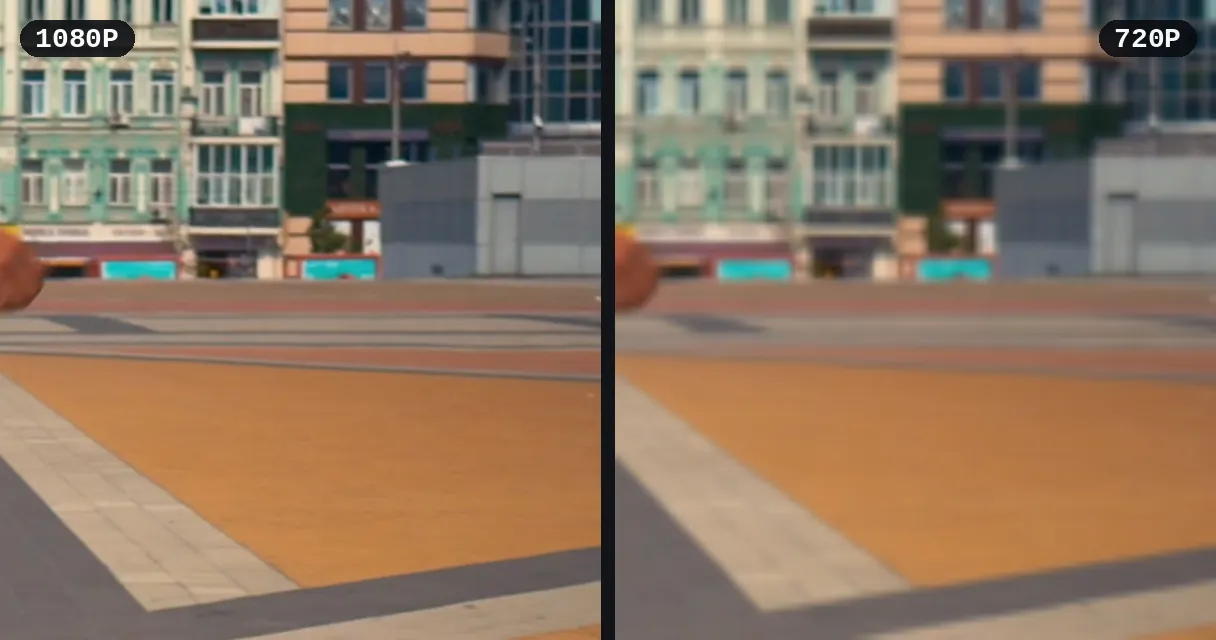
The free download is in standard definition. When the original is sharper, you can unlock the HD file — the best quality Instagram has for that video — for {price_hd}. Then resize it for another platform or add subtitles.
In the Instagram app, tap Share (the paper-plane icon) under the Reel or post, then Copy link. On a computer, copy the address from your browser's address bar. The link looks like instagram.com/reel/… or instagram.com/p/….
Paste the link in the box above. Klipa fetches the original video from the public post — with its sound, and without the watermark Instagram adds to its own downloads.
Download the MP4 to your phone or computer. On iPhone it goes to the Files app (Downloads); use Share → Save Video to move it to Photos. To resize it for another platform or keep only the audio, it's one more click.
No Instagram logo, no username stamped on the video — and no Klipa logo either.
Paste any public Reel or video post link; the MP4 keeps its original sound.
Works in your phone or computer browser, without logging in to Instagram and without signing up.
Lost the original file? Download your Reel without Instagram's logo and username, then post it on TikTok or YouTube Shorts — add subtitles for each audience.
Save the Reels that hook viewers, trim the key moment and build a library of ideas for your own content.
Keep tutorials, recipes and workouts on your phone for the plane, the gym or anywhere without a connection.
Collect examples for briefs and presentations; turn a moment into a GIF to drop into a slide.
Lectures, interviews, voice-overs: convert the video to MP3 and listen on the go.
Copy the link of the Reel or post (Share → Copy link), paste it above and press Download. Klipa saves the original file, so there's no Instagram logo or username on it — unlike the Download button inside Instagram.
Instagram's own Download option stamps the Instagram logo and the account name on the video. Klipa doesn't use that export: it saves the video as it was uploaded.
Open the Reel, tap Share (the paper-plane icon), choose Copy link, then paste the link here. The Reel is saved as an MP4 with its sound.
The free download is in standard definition. When the original is in HD, you can unlock it for {price_hd} and get the best quality Instagram has for that video — often 720p or 1080p.
No. It works in any browser on iPhone, Android or computer, without logging in to Instagram and without signing up.
Yes, the MP4 includes the original audio. If you only need the sound, extract the audio afterwards.
Downloading public videos to watch offline is generally tolerated, but creators keep their rights: ask permission and credit them before reposting anything that isn't yours.

You are about to hold a clean Instagram video: no watermark stuck in the corner, no oversized file that bounces back from email, no format hiccup when you post it…

You just found the perfect Instagram Reel for a client edit, a presentation, or your own highlight reel. You tap the share button and realize there is no built-in…

You just watched an Instagram video that you absolutely need to keep. Maybe it’s a hilarious Reel, a behind-the-scenes clip from your favorite creator, or a…
Paste the Reel link — MP4 with sound, free.
No credit card required
Paste a public Reel or video post link and keep the original MP4 — with its sound, without Instagram's logo or username. Then cut it, subtitle it or compress it for sharing. Klipa also saves Reddit videos with sound, TikTok videos and videos from many other sites.
