Skip to content

Free Video Enhancer: Brighten Dark Videos & Fix Lighting

Brighten a video that's too dark, rescue a backlit or washed-out shot and reduce grain — automatically, in one click.

This tool is being improved

Explore other tools

Daily limit reached

Drop your file here

Browse
or

MP4, MOV, AVI, MKV, WebM

0 / 1000

Drop your subtitle file here

Browse

SRT, VTT, ASS, SSA

AI
0 / 1000
Examples:

Platform

Duration

Audience & tone Optional
AI is writing your script…

Free account required to use this tool. Sign up in seconds!

Video duration
Minutes required
Minutes used / limit
Minutes remaining
Estimated balance after (min)
This video deserves better than a blurry copy. Much better quality is available — unlock it after your free download.

Your Hashtags Are Ready!

Hashtags copied to clipboard — paste them in your post!

Klipa just saved you time. Give us 30 seconds back — leave a review on Trustpilot.

Conversion Complete!

Preview below. Download your file whenever you like.


Klipa just saved you time. Give us 30 seconds back — leave a review on Trustpilot.

Translation Complete!

Preview below. Download your file whenever you like. Timecodes are preserved.


Klipa just saved you time. Give us 30 seconds back — leave a review on Trustpilot.

Your Video Script

Klipa just saved you time. Give us 30 seconds back — leave a review on Trustpilot.

Source language
Target language

Pick two different languages to start dubbing.

Voice

The sample plays in the target language so you can compare before starting.

Keep original voice underneath

Low volume, behind the translated voice.

Duration :

Target format

Custom size (pixels)

× px

Fit mode

Your video isn't the same shape as the chosen format — here's how to fit it:

Resolution

Uploading background…

Transparent export (ProRes .mov with alpha). Reserved for the Pass or a Pro plan; the preview shows on a checkerboard.

Drag · resize · rotate
Placement
Text
Logo / Image
Common settings
optional

Length of the final edit

Output Format

Subtitles included

Subtitle style

Cut intensity

What to do with silences

Transition

Also

Remove hesitations too

The “um”, “uh” and false starts

Clean up background noise

Hiss, air conditioning, street noise

Keywords (optional)

Rotate the video to enable.

Choose the output format

MP4 plays everywhere. Change it to fit your need.

Get an email the moment it's ready.

The style applies to THIS clip only. Your other clips stay available on the result page — you can caption them separately, now or later from your dashboard.
LIVE PREVIEW · BURNED-IN CAPTIONS

Klipa is preparing your preview

Your best clip is being cut and auto-reframed (face tracking). This preparation happens only once — about 30 seconds.

No speech detected in this preview clip — clips that do contain speech will still be captioned.
Captions update live
Font
Size
Position
Text
Highlight
Caption text
Unsaved changes
My templates

Your result is ready

Download your file, or keep working in Klipa.

Format Length Size Quality Saved Time removed Cuts ✓ Logo-free unlocked for this video

Klipa just saved you time. Give us 30 seconds back — leave a review on Trustpilot.

Preparing your logo-free video… The download will start on its own.

Subtitles (.srt) separate file

Free Google 1-click No credit card
Understand first

What a video enhancer really fixes — and what it can't

To enhance a video, upload it and Klipa corrects its light automatically: a video that's too dark is brightened, an overexposed or backlit shot is toned down, haze is cleared and grain is reduced. There are no sliders to learn, and the sound, length and resolution of your file stay the same.

Why not simply turn up the brightness?

A brightness slider lifts every pixel by the same amount: the dark corner comes back, but the window turns white and the blacks go grey. Klipa works area by area instead — shadows are lifted, highlights are held back — which is why a face can reappear against a bright window without the view outside being burned.

What no enhancer can do

Correction brings back what the camera recorded but hid in the dark or in the glare. It can't invent what was never captured: a completely black frame or a fully white patch stays empty. It doesn't upscale resolution either — to make a file lighter, use our video compressor.

Free, with or without an account

The enhancer works without an account and uses no credits, within 20 videos a day without an account. Videos up to 5 minutes are accepted without an account and up to 10 minutes with a free account. The free result carries the Klipa logo; a Pass or a Pro plan delivers it clean.

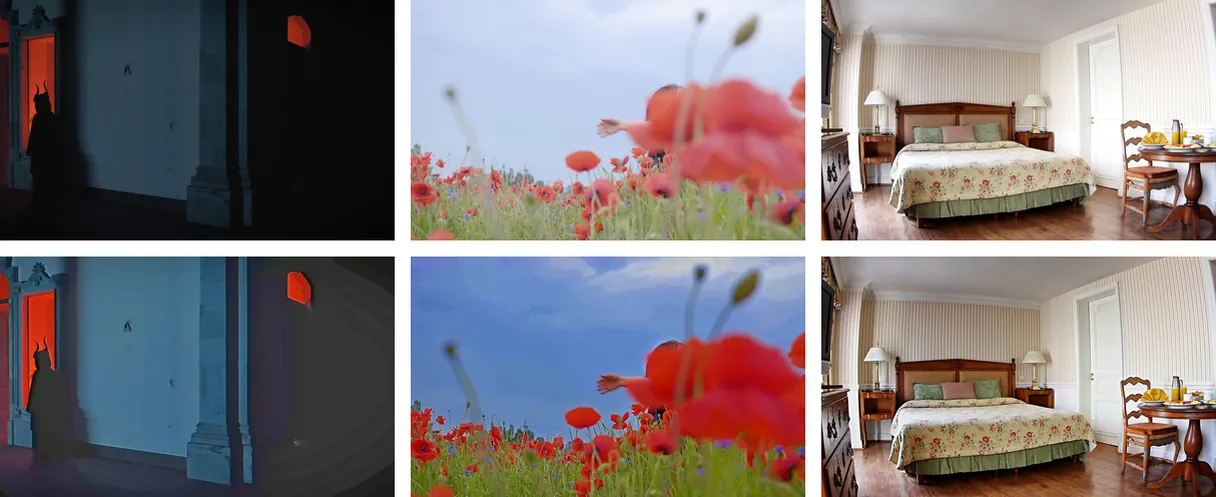
Example result — Free Video Enhancer: Brighten Dark Videos & Fix Lighting
Proof in the result

What the tool produces

How it works

How to Brighten a Dark Video in 3 Steps

Step 1

Upload your video

Drop your file (MP4, MOV, AVI, MKV or WebM, up to 2 GB) or pick it from your device — no account needed to start.

Step 2

Let Klipa correct the light

Nothing to set: exposure, contrast, colour and grain are corrected shot by shot, and black bars are left untouched.

Step 3

Download the enhanced video

Download an MP4 with the original sound and resolution — with the Klipa logo on the free tier, logo-free with a Pass or a Pro plan.

Why Klipa

Why enhance your videos with Klipa?

Benefit — Free Video Enhancer: Brighten Dark Videos & Fix Lighting

Dark videos, brought back to light

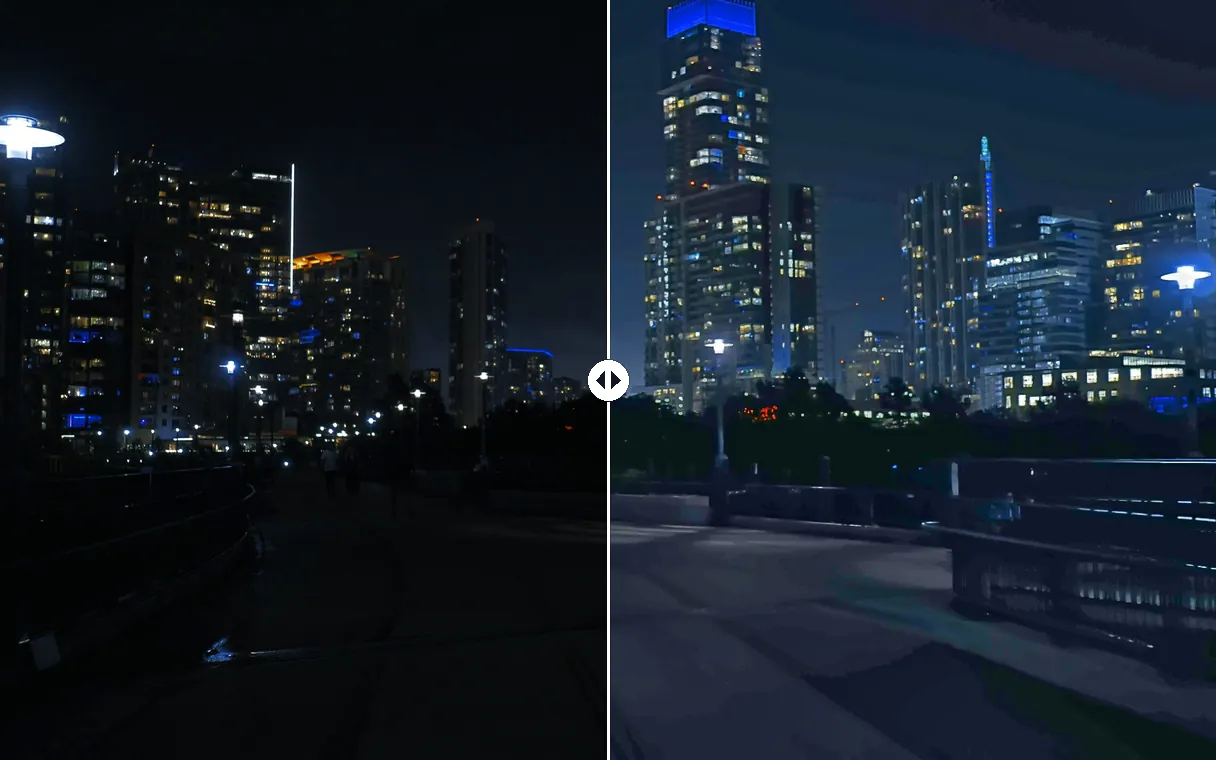
Filmed at night, indoors or in a dim room? Shadows are lifted area by area, so faces and details reappear without turning the whole picture grey.
Benefit — Free Video Enhancer: Brighten Dark Videos & Fix Lighting

Backlight and washed-out shots, rescued

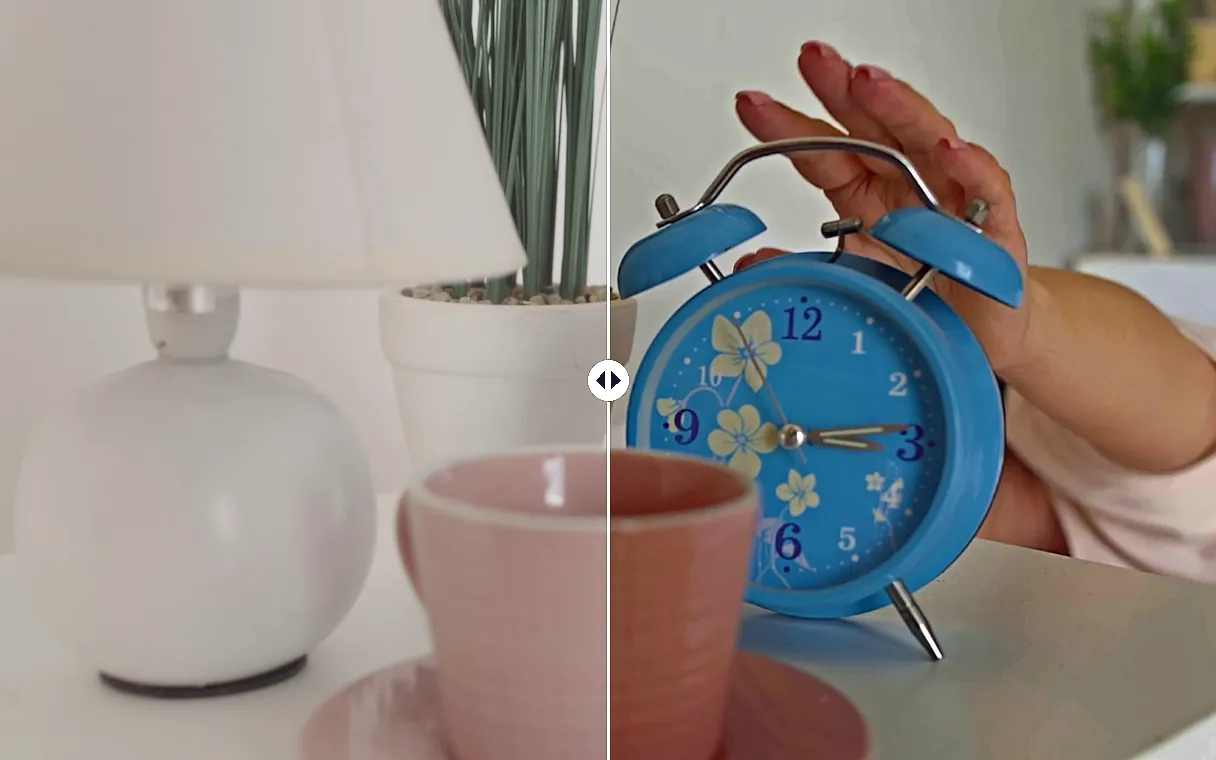
A face against a bright window, a hazy or overexposed landscape: bright areas are pulled back, and lost colour and contrast return.
Benefit — Free Video Enhancer: Brighten Dark Videos & Fix Lighting

Better than a brightness slider

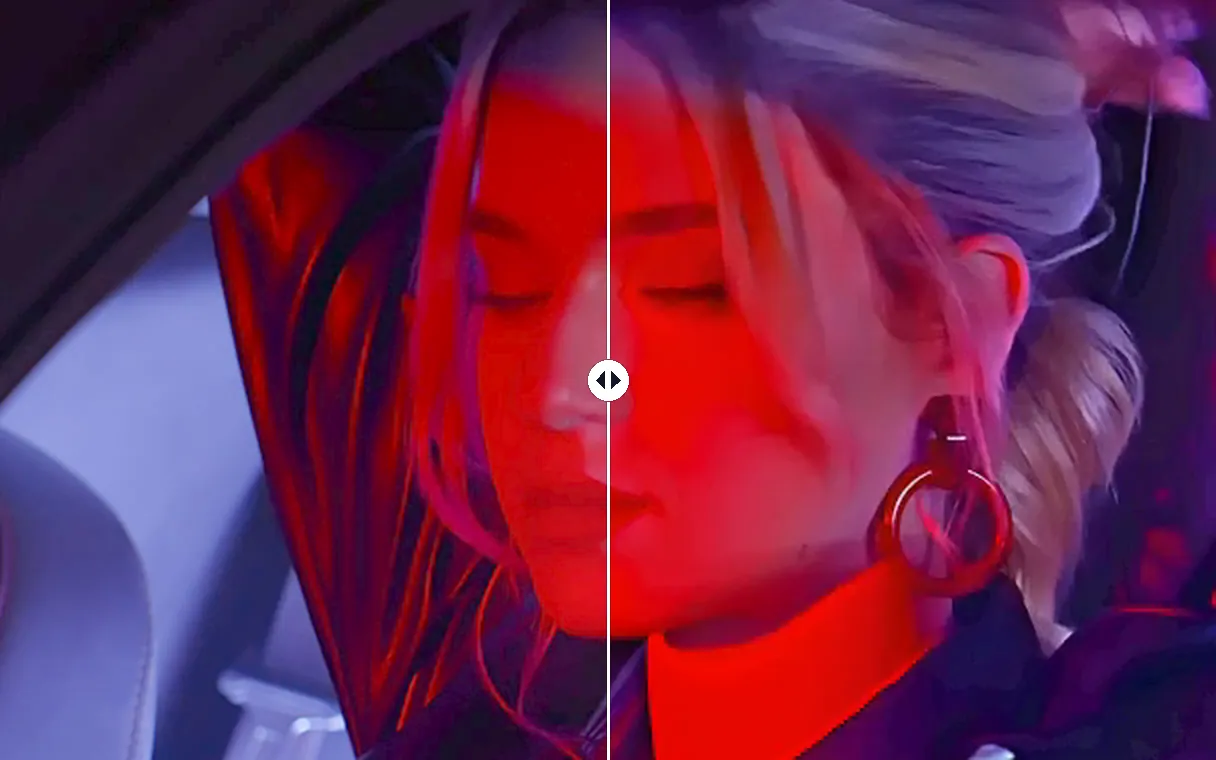
A brightness slider washes everything out and amplifies grain. Here shadows are lifted without a grey veil, and low-light grain is cleaned before brightening, so skin and textures stay natural.
Benefit — Free Video Enhancer: Brighten Dark Videos & Fix Lighting

Adapted shot by shot

Each scene gets its own correction, eased in over time: no flicker, no pumping, and a clip that is already well lit stays natural.

Real cases

Who Uses a Video Enhancer

Night and indoor phone videos

Birthdays, concerts, restaurants, evening walks: clips filmed with too little light become watchable and shareable again.

Webcam recordings and vlogs

A recorded call or a vlog shot in a dim room: the face gets its light back without buying a ring light.

Interviews filmed against a window

A speaker sitting in front of daylight looks like a silhouette. The face comes back while the view outside stays readable.

Washed-out or hazy clips

Faded, foggy or flat footage regains contrast and colour before being posted again.

Continue with

Related Tools

PrepareFetch the video and get the right format
EditCut, clean the sound and the silences
TransformTurn it into short clips, ready to publish
EnrichSubtitles, translation and transcription
Frequently asked

Video Enhancer — Frequently Asked Questions

How do I brighten a dark video online for free?

Upload the video to this page: the light is corrected automatically, with nothing to adjust, and you download the result as an MP4. No account is needed to start and no credits are used; the free result carries the Klipa logo.

Can a video that's too dark really be saved?

Usually, yes. A phone records far more in the shadows than the screen shows, and the enhancer brings that detail back. Only what was never recorded can't be recovered — a frame that is completely black stays black.

How do I fix an overexposed or backlit video?

The same way: upload it. Bright areas are pulled back, the subject in front of a window is lightened, and haze is cleared so colours return. An area burned to pure white holds no detail, so it stays light.

Does the video enhancer increase resolution or upscale to 4K?

No. It improves light, colour, contrast and grain at the resolution of your file, up to 2160p. It does not invent pixels: the output has the same size as the video you upload.

Will brightening make my video grainier?

Much less than a brightness slider. Dark footage is cleaned of grain before it is brightened, and the cleaning is stronger when the video is darker, so textures stay natural instead of noisy.

Are the sound, length and framing of my video kept?

Yes. The audio track is kept as it is, the length and frame rate don't change, and black bars around the picture are left untouched instead of being turned grey.

Does the enhanced video have a watermark?

On the free tier, yes: with or without a free account, the enhanced video carries the Klipa logo. To download it clean, get a Pass for that video or a Pro plan — the result is identical, without the logo.

Which files and durations are accepted?

MP4, MOV, AVI, MKV and WebM files up to 2 GB. Videos up to 5 minutes work without an account, up to 10 minutes with a free account and up to 2 hours with a Pro plan.

Your turn

Enhance your video now

Too dark, backlit, washed-out or grainy — corrected automatically.

You have used your premium trial this month. Upgrade to Pro for unlimited access to all tools.

No credit card required

In closing

Better light, without reshooting

A video filmed in bad light isn't lost: Klipa brightens dark shots, tames overexposure, clears haze and reduces grain in one click. Need a lighter file afterwards? Use our video compressor. Is the sound muffled too? Try background noise removal.

All tools